
What Is a VMS? A Guide to Choosing CCTV Software for Companies
What a VMS is, how it differs from DVR and NVR, and how to choose one.
SENTINEL
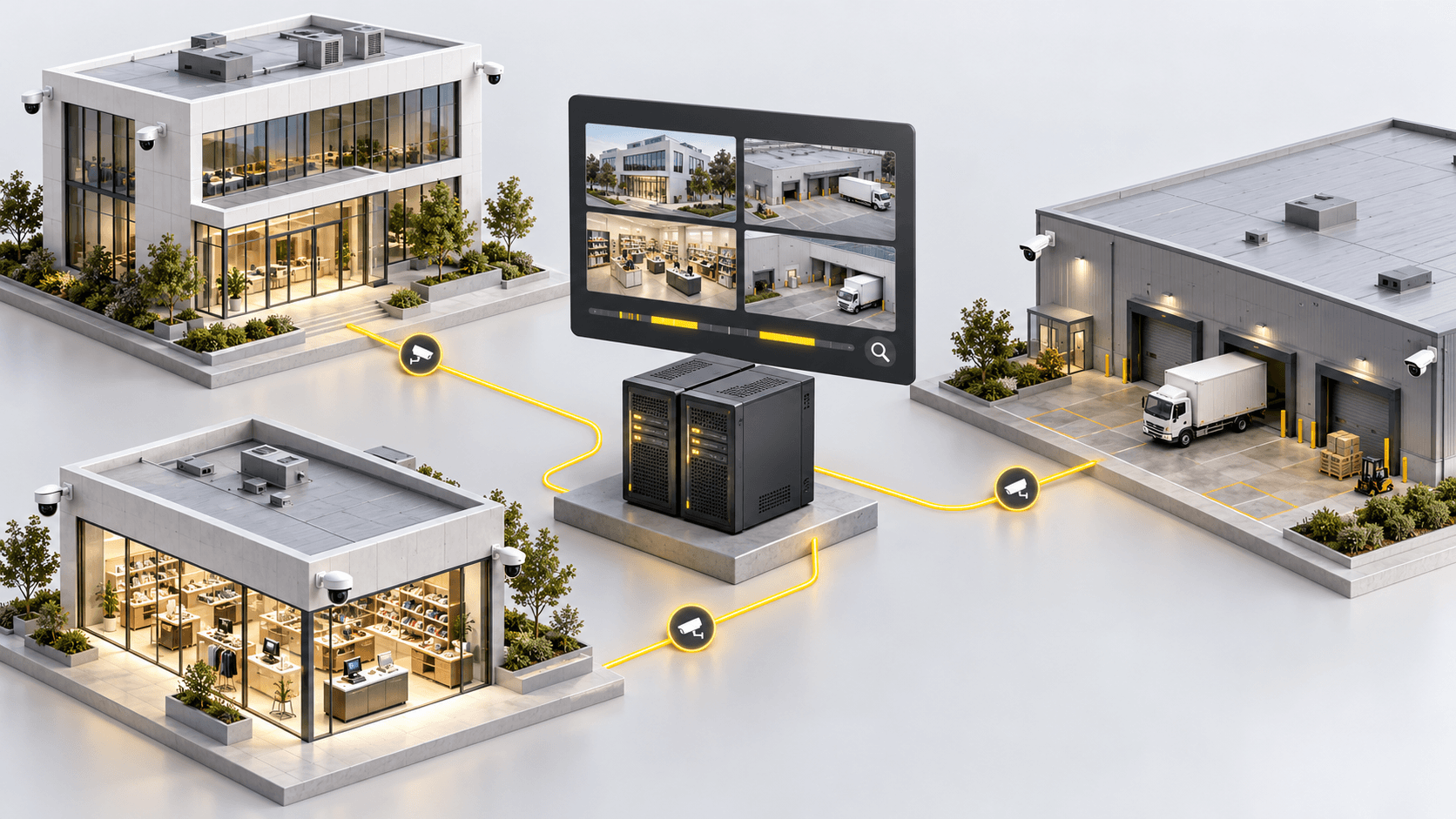
When a company has only a few CCTV cameras, a single DVR or NVR with its own app is usually enough. Problems start when the number of cameras grows, the brands differ, and the sites are spread across several buildings or branches. Operators have to open many apps, footage is hard to find, and there is no single place to monitor everything.
This is where a VMS (Video Management System) comes in. This article explains what a VMS is, how it differs from a DVR and an NVR, and what to look for when choosing CCTV software for your company.
What is a VMS?
A VMS is software that manages video from many cameras in one system. It runs on a server and can be accessed from operator computers, a web browser, or a mobile app.
Its core functions include live view, recording, playback, footage search, user access rights, and alarm management. A modern VMS can also run AI analytics, such as detecting people, vehicles, smoke, or intruders.
How is a VMS different from a DVR or an NVR?
| Consideration | DVR | NVR | VMS |
|---|---|---|---|
| Form | Hardware for analogue cameras | Hardware for IP cameras | Software running on a server |
| Number of cameras | Limited by channels | Limited by unit capacity | Grows by adding servers |
| Camera brands | Usually one brand | Usually works best with the same brand | Mix different brands |
| AI analytics | Basic or none | Limited | Can be added as needed |
| Multiple sites | Managed one by one | Managed one by one | Monitored centrally from one place |
In short, DVRs and NVRs suit small needs at a single site. A VMS is designed for companies that need scale, central control, and features that can keep growing.
Key VMS functions for companies
- Central monitoring. All cameras appear in one application, with screen layouts that can be tailored for a control room.
- Recording management. Recording schedules, retention periods, and storage capacity are managed from one place.
- Fast search. Footage can be searched by time, camera, event, or specific objects, without hours of playback.
- User access rights. Each user only sees the cameras and features that match their role.
- Alarms and events. Alerts from analytics, sensors, or other systems appear straight on the operator's screen.
- Evidence export. Video clips can be exported easily for investigations.
Signs your company needs a VMS
- Your cameras come from several brands with different apps.
- You have several buildings, factories, warehouses, or branches to monitor from one place.
- Your security team often struggles to find footage after an incident.
- You want to add AI analytics without replacing every camera.
- Your CCTV needs to connect with other systems, such as access control or point-of-sale terminals.
- You need a record of who viewed or exported footage.
6 things to consider when choosing a VMS
- Camera and device support. Make sure the VMS supports many camera brands and the ONVIF standard, so your existing cameras can be used and you are not locked into one brand.
- Built-in or add-on AI. Some VMS products only record, and AI analytics must be bought from another vendor. A VMS with built-in AI is easier to manage because everything sits in one system.
- Scalability. The system should grow from a few cameras to hundreds, and from one site to many branches, without being replaced.
- Reliability and security. Look for failover, a backup server that takes over automatically when the main server has a problem. Also check access controls and the option to install on your own servers (on-premise).
- Integration. A good VMS connects with access control, alarms, point-of-sale terminals, and other systems, including through an API for custom needs.
- Licensing and local support. Understand the licensing model, the cost of adding cameras or features, and whether a local team is available for installation, training, and technical support.
An example of a VMS with built-in AI: Axxon One
Axxon One from AxxonSoft is a VMS that combines video management and AI analytics in one platform. Some of its capabilities:
- Supports cameras from many brands in one view.
- Built-in AI analytics, from people and vehicle detection to smoke and fire detection.
- Fast footage search with MomentQuest.
- Multi-server architecture with failover support.
- Integration with access control and point-of-sale (POS) terminals.
- Access from desktop, web browser, and mobile apps.
See the full range of AI video analytics Indonesia solutions that run on Axxon One.
Frequently asked questions
Can a VMS work with an existing NVR? In many cases, yes, as long as the NVR supports standards such as ONVIF or RTSP. However, connecting cameras directly to the VMS usually gives the best results, especially for AI analytics.
Does a VMS need a dedicated server? It depends on the number of cameras and the analytics you run. Small sites can use a simpler computer, while larger systems need dedicated servers with enough storage.
Can CCTV be monitored from a phone? Yes. A modern VMS usually offers a mobile app and browser access, with access rights still managed centrally.
Want to know Axxon One in more depth? Read AxxonSoft and Axxon One Explained: A VMS with Built-in AI.
Choose the right VMS with SENTINEL
SENTINEL (PT Sentra Teknologi Inteligen) is the sole distributor of AxxonSoft in Indonesia. Our team helps you map your needs, assess your existing cameras, design your servers, and train your team on site. Instalment payment schemes are also available through our multifinance partners.
Book a free consultation to find the VMS that fits the scale of your company.